
Long waiting times
Guests wait for menus, order capture, billing, and payment confirmation while tables sit idle.
Restaurant QR ordering system for modern operators
End-to-end restaurant QR ordering system with billing, kitchen dashboard, waiter dashboard, and real-time analytics.
Kitchen Live Queue
Orders sync across staff in real time
T-12
Truffle burger
Elapsed 04:18
T-08
Pasta verde
Elapsed 01:42
T-03
Citrus spritz
Elapsed 00:36
128
orders
9m
avg prep
₹4.1L
sales
96%
on time
Operational drag
Dineflo replaces fragmented service steps with one restaurant ordering software layer built for speed, accuracy, and visibility.
Guests wait for menus, order capture, billing, and payment confirmation while tables sit idle.
Paper tickets and verbal updates create wrong items, missed modifiers, and avoidable refunds.
Teams spend time on repetitive ordering tasks instead of service, upsells, and table recovery.
Kitchen, waiters, and billing counters work from separate signals with no shared live view.
Owners lack clear data on best sellers, slow periods, table performance, and revenue trends.
Manual totals, split bills, and payment handoffs add friction at the exact moment guests want speed.
How Dineflo works
Guests move naturally from QR menu ordering to checkout while your team gets live operational context at every step.
Real application screens
Dineflo is more than a landing page promise. These live product screens show the admin dashboard, QR table setup, menu management, kitchen queue, billing counter, and order creation workflows.
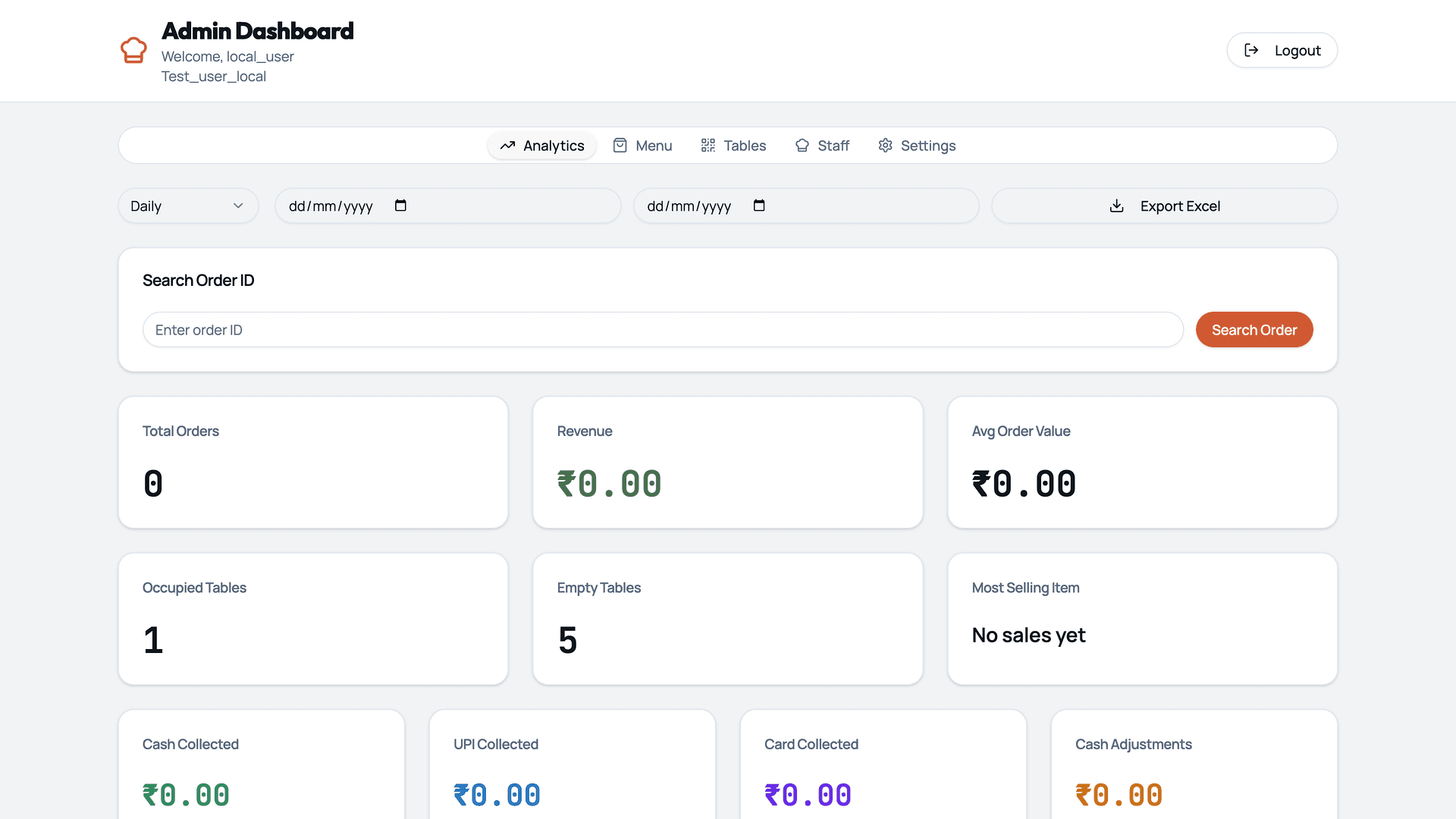
Revenue, order volume, collection modes, occupied tables, and operating metrics in one owner dashboard.
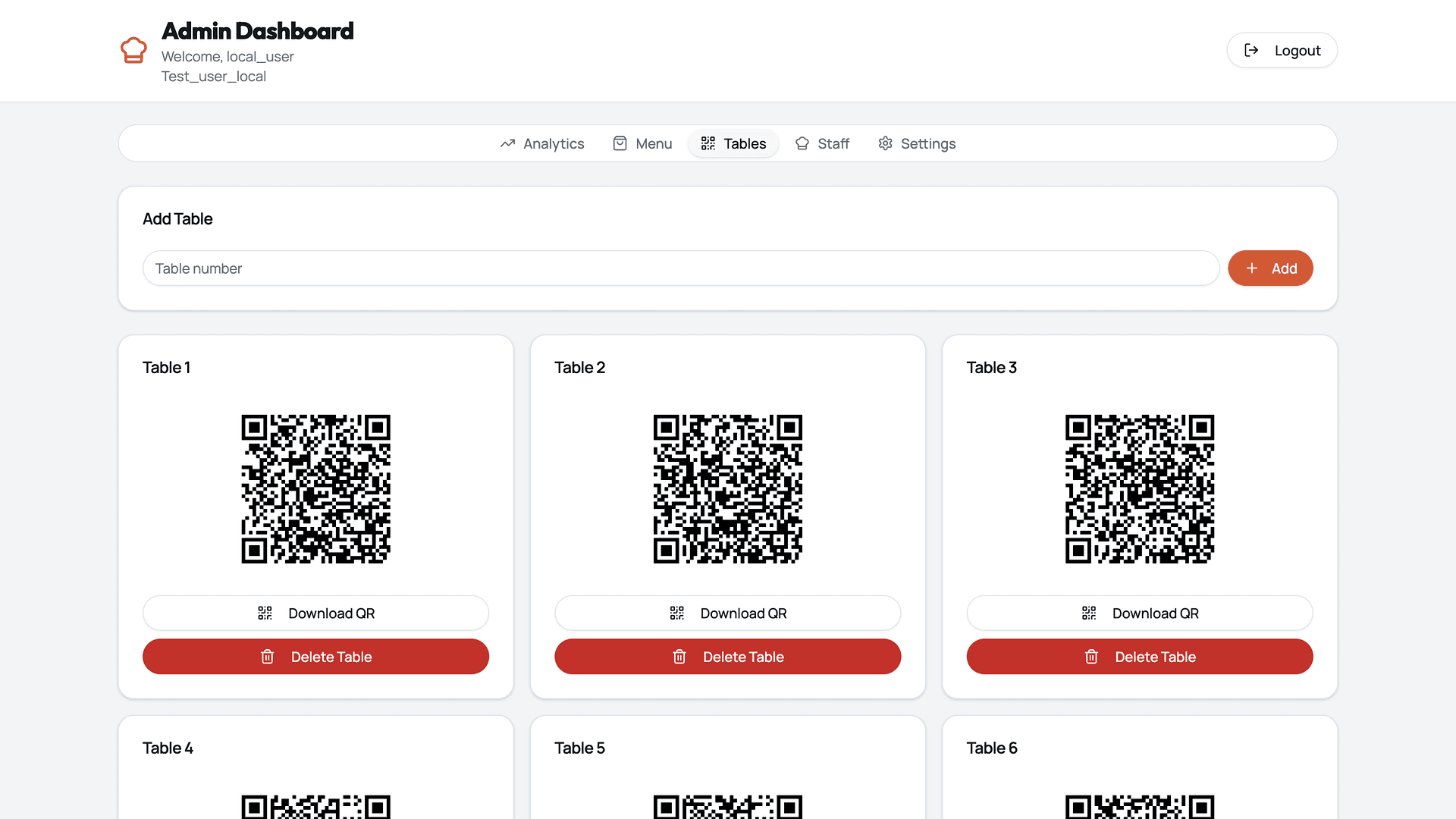
Create tables, generate QR codes, download QR assets, and manage restaurant seating digitally.
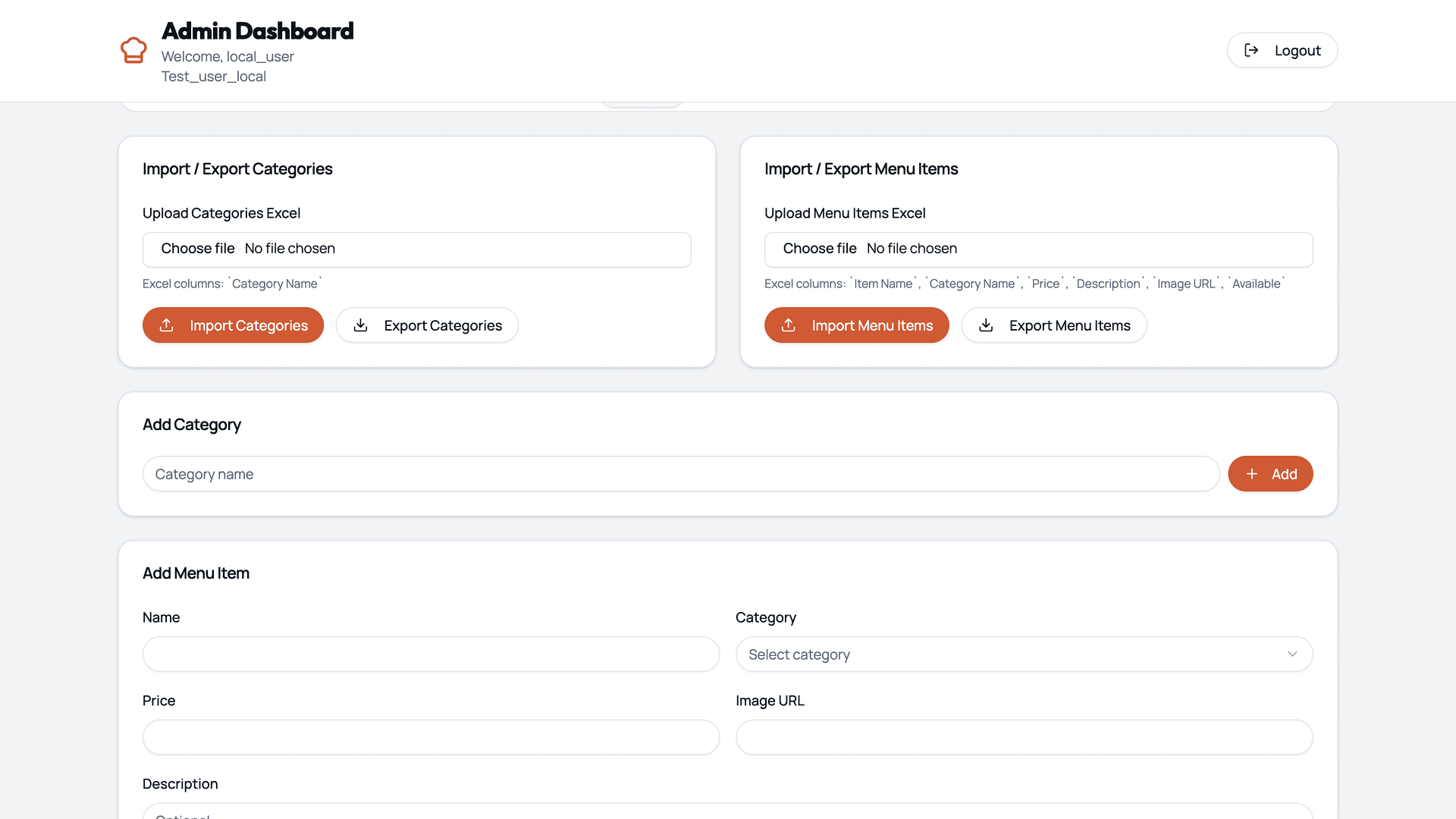
Import categories, manage items, update prices, and keep restaurant menus ready for QR ordering.
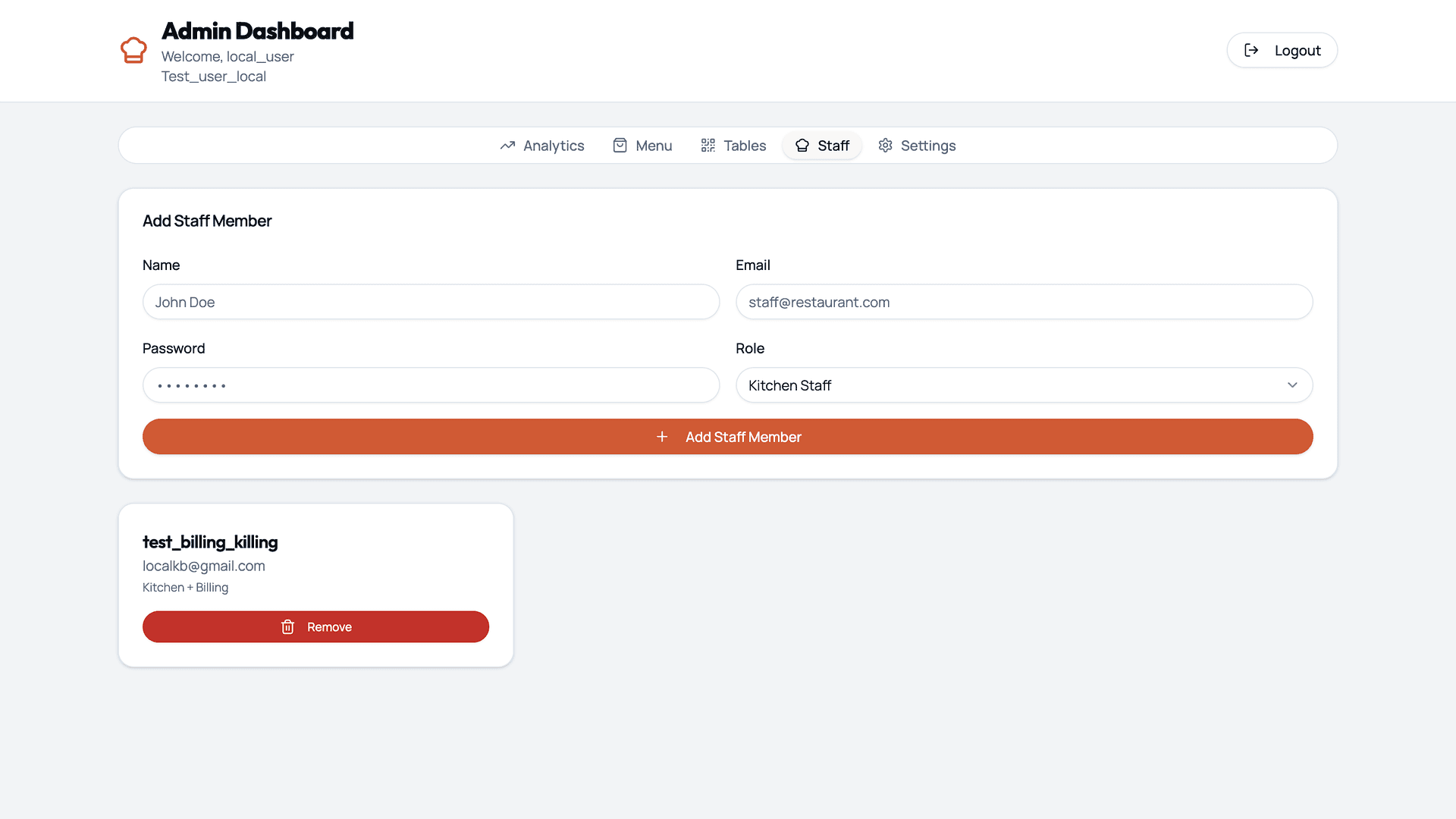
Add kitchen, billing, and service team members with role-specific access from the admin dashboard.
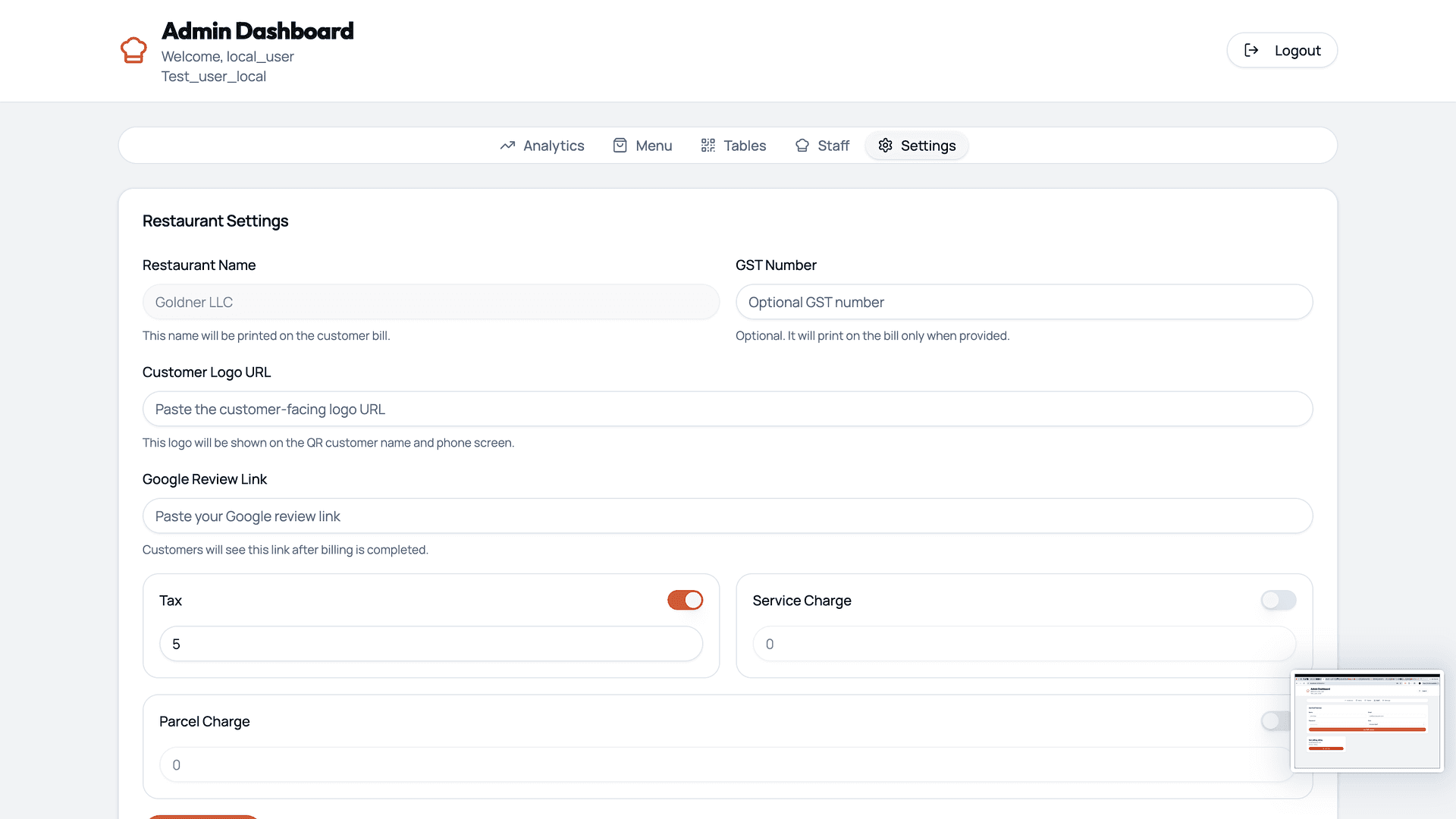
Configure restaurant name, GST details, customer logo, review links, taxes, and service charges.
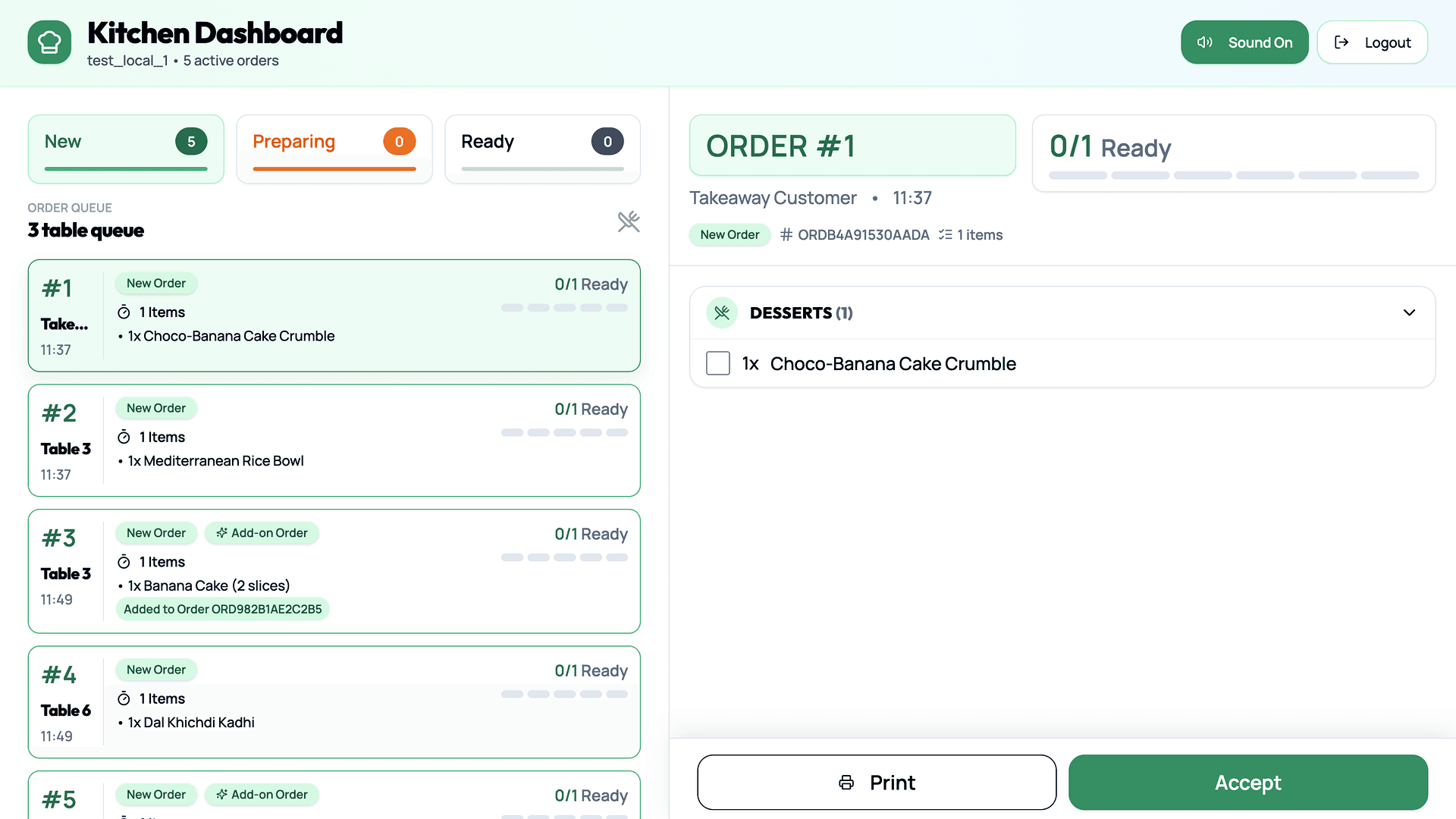
Kitchen teams see new, preparing, and ready orders with item-level progress and one-tap actions.
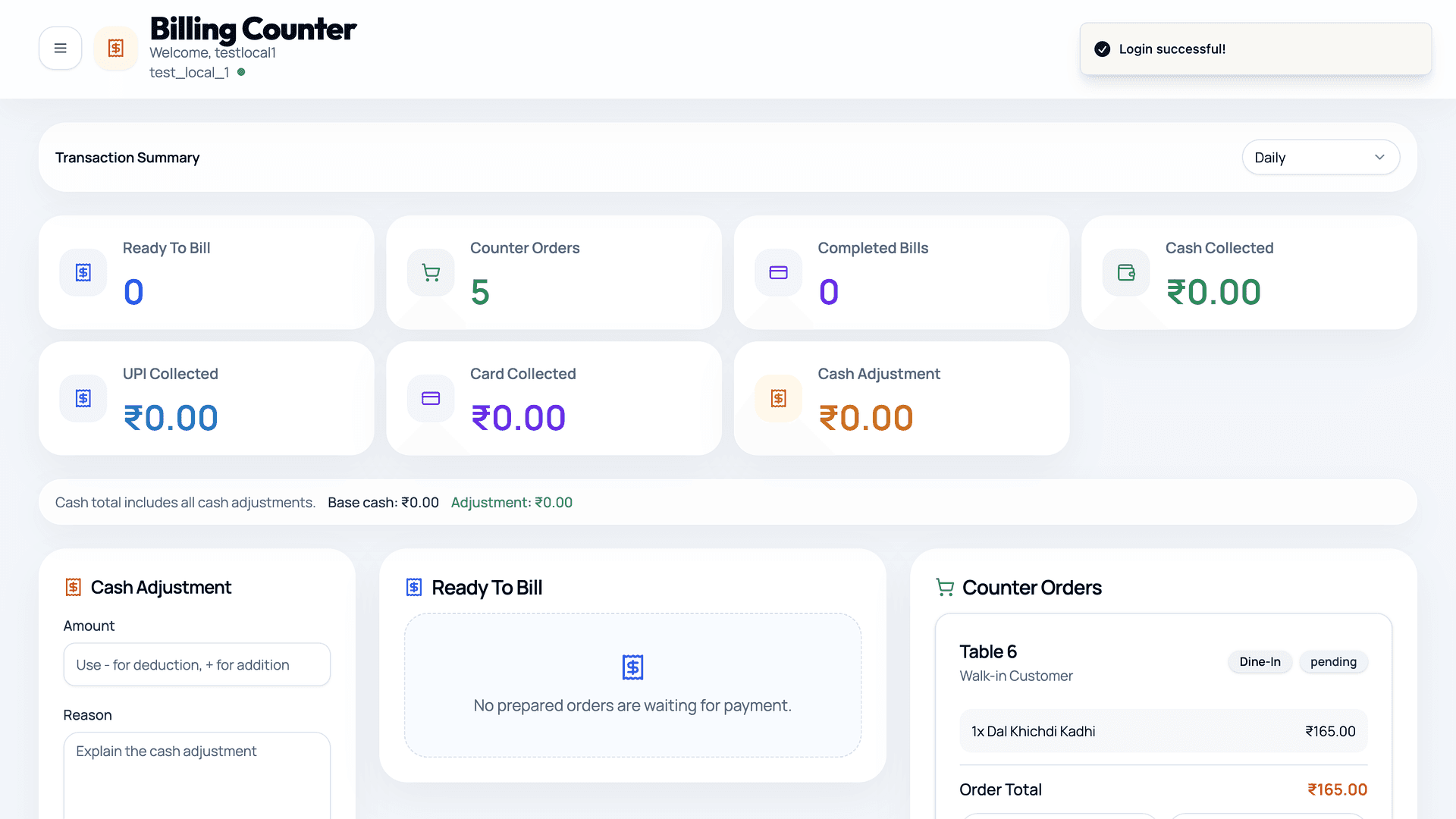
Track cash, UPI, card collection, ready-to-bill orders, and counter orders from a clean billing view.
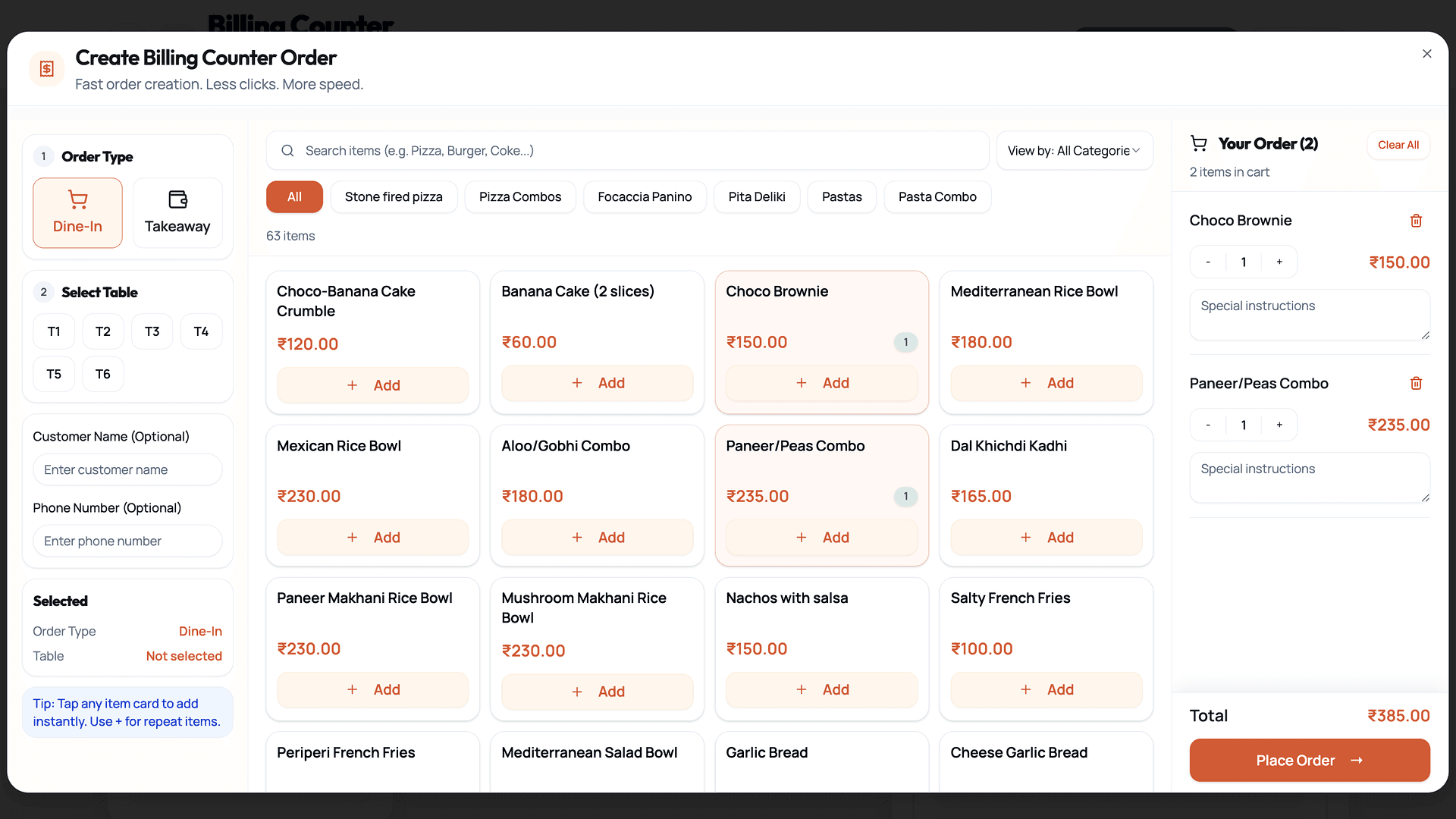
Create dine-in or takeaway orders, add menu items quickly, and send totals directly to billing.
Platform features
Dineflo brings QR code ordering, staff dashboards, billing, permissions, and reporting into one cloud restaurant management system.
Contactless dining
Let guests scan a table QR code, explore your digital restaurant menu, customize items, and send orders instantly.
Live operations
Give the kitchen a real-time order queue with prep status, ticket priority, and table context.
Floor visibility
Help waiters manage tables, assist guests, track order status, and respond to requests without chasing tickets.
Faster checkout
Turn every order into a live bill, generate invoices automatically, and prepare for integrated payments.
Clean access control
Separate admin, manager, kitchen, waiter, and billing roles so each user sees the tools they need.
Restaurant intelligence
Track sales insights, order trends, peak periods, and restaurant performance metrics from one SaaS dashboard.
Measured impact
Use Dineflo to reduce staff workload, shorten ordering cycles, and build a scalable SaaS operating model for every restaurant location.
40%
faster ordering
28%
higher table turnover
60%
fewer order mistakes
24/7
cloud availability
SaaS growth layer
Dineflo supports centralized management, cloud infrastructure, subscription-based access, and a scalable SEO-ready architecture for location pages.
Create city pages for restaurant QR ordering searches without changing core templates.
Scale content for restaurant groups, local service pages, and industry-specific landing pages.
Fast, semantic pages built for the way restaurant owners search on phones.
Downtown
₹15.4L
Airport
₹15.4L
Marina
₹15.4L
Centralized menu updates
Publish price, item, and modifier changes across locations from one admin dashboard.
Security and control
Dineflo is designed around authenticated access, restaurant data isolation, role control, and subscription validation.
Secure sessions and scoped API access for every restaurant role.
Restaurant workspaces are logically separated for clean tenant boundaries.
Granular access for admins, kitchen teams, waiters, and billing staff.
Plan status and feature access are enforced across the SaaS platform.
Operator trust
“Dineflo cut our lunch rush ordering time by 36%. The kitchen queue alone changed how confidently we run busy service.”
Owner, Ember Table Bistro
36% faster lunch ordering
“We moved from separate menu, billing, and waiter tools into one restaurant SaaS platform. Branch reporting is finally clean.”
Director, Urban Tandoor Group
4 branches managed centrally
“Guests scan, order, and pay without waiting at the counter. Staff spend more time on hospitality and less on retyping orders.”
Founder, Matcha Lane
2.1x more counter throughput
FAQ
Practical answers for owners evaluating QR menu ordering, billing, dashboards, and cloud restaurant management.
A restaurant QR ordering system lets guests scan a table QR code, open a digital menu, place orders from their phone, and send those orders directly to restaurant staff or the kitchen dashboard.
Restaurants place unique QR codes on tables. Guests scan the code, browse the menu, customize items, submit the order, and the restaurant receives it instantly with table and billing context.
Yes. Dineflo works for cafes, quick service restaurants, casual dining, bars, food courts, and full-service restaurants that want faster contactless ordering.
Dineflo includes real-time billing, automated invoices, order totals, and a payment integration-ready workflow for restaurants that want a smoother checkout experience.
Yes. Dineflo is designed as a cloud restaurant management system with multi-location architecture, centralized analytics, and branch-level controls.
Yes. Guests can order from modern mobile browsers without installing an app, and restaurant staff can access dashboards from tablets, laptops, and supported mobile devices.
Dineflo includes a kitchen dashboard for live order preparation, a waiter dashboard for table service, and an admin dashboard for menus, roles, billing, and analytics.
Yes. Restaurants can assign roles such as admin, manager, waiter, kitchen staff, and billing user so each team member gets appropriate access.
Guests enter their own orders and modifiers, while the kitchen receives structured tickets in real time. This reduces handwriting issues, verbal confusion, and duplicate entry.
Yes. Dineflo is a subscription-based restaurant SaaS platform built for QR ordering, digital menus, dashboards, billing, role access, and restaurant analytics.
Modernize service
See how Dineflo can connect QR ordering, kitchen operations, billing, analytics, and staff dashboards in one premium restaurant SaaS platform.